
Your script, right beside the lens.
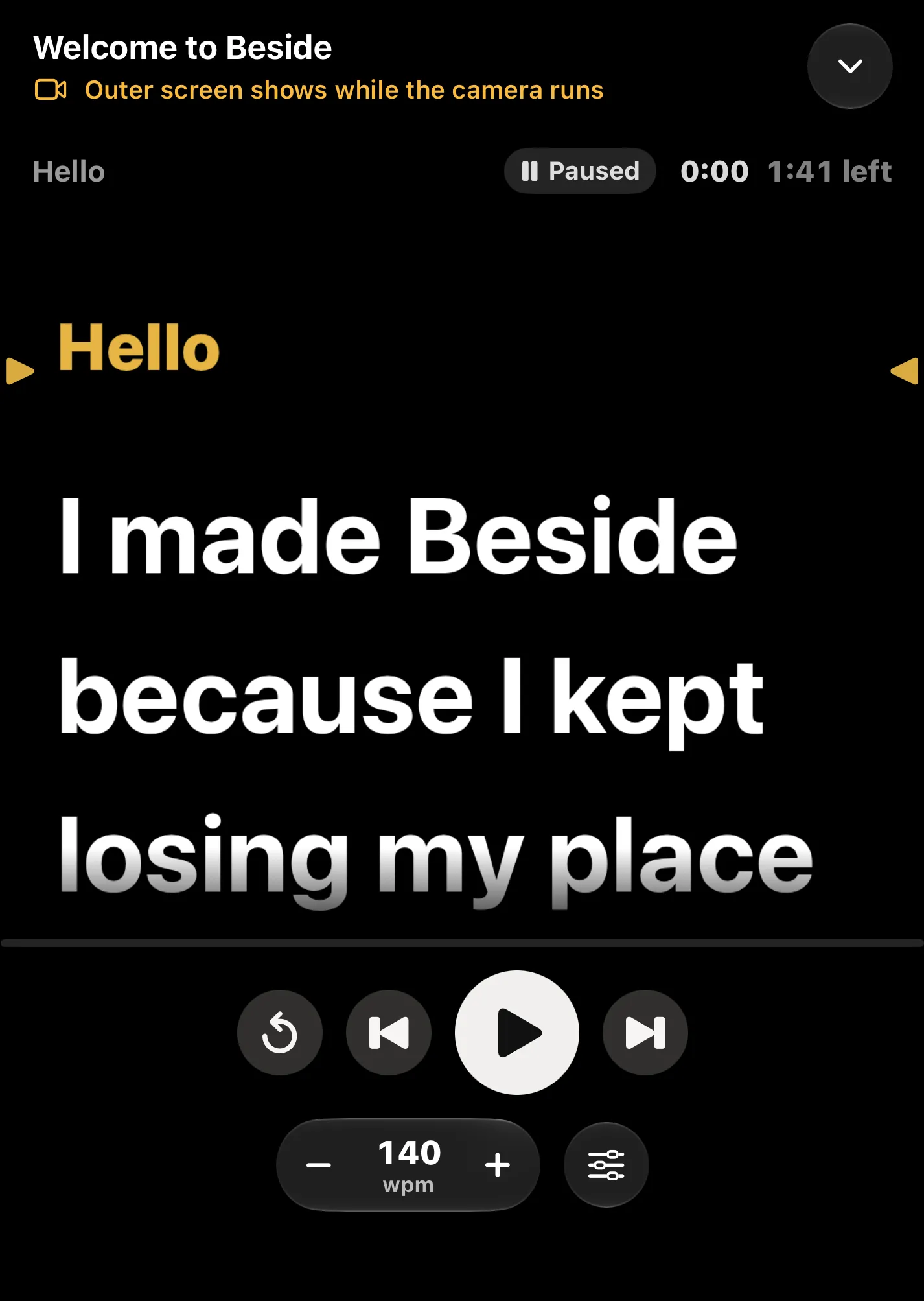
Beside turns iPhone Duo into a teleprompter: the rear cameras record you while the outer screen runs your words right beside them.
Free to start. Pro is one payment, no subscription.
Hello
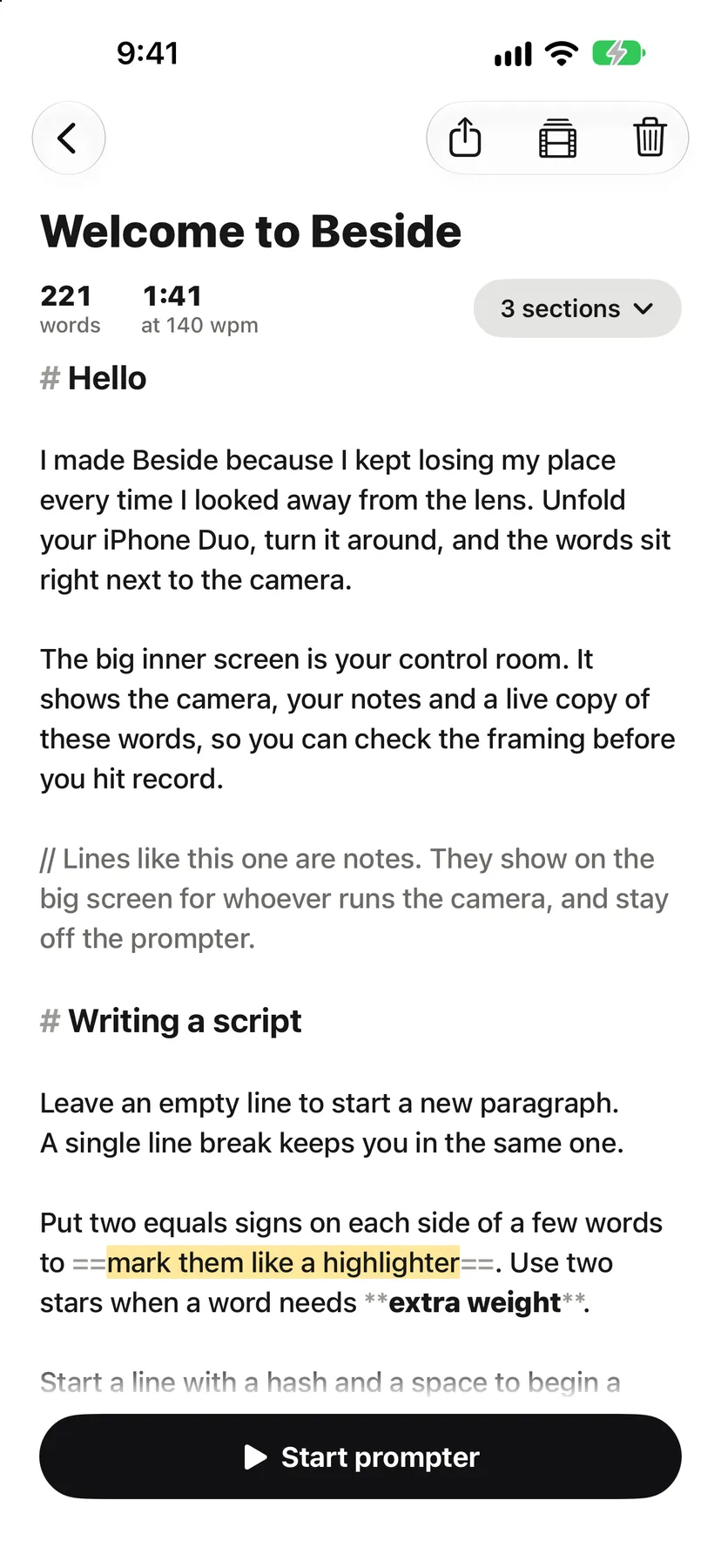
I made Beside because I kept losing my place every time I looked away from the lens. Unfold your iPhone Duo, turn it around, and the words sit right next to the camera.
The big inner screen is your control room. It shows the camera, your notes and a live copy of these words, so you can check the framing before you hit record.
Writing a script
Put two equals signs on each side of a few words to mark them like a highlighter. Use two stars when a word needs extra weight.
Unfold it, turn it around, press record
I made Beside because I kept losing my place every time I looked away from the lens. iPhone Duo has the fix built in: a small screen on the back, right next to the good cameras.
The rear cameras record you
You get the best cameras on the phone, at 0.5×, 1× or 3×, in up to 4K.
The outer screen shows your words
The script runs on the small screen right beside the lenses, so your eyes stay on the camera.
The inner screen is the control room
It splits at the fold: the camera monitor on one side, a live copy of the outer screen on the other, with the time left, the speed and big controls.
Notes you write for whoever runs the camera show up on the big screen and stay off the prompter. Hand the phone to a friend and they can run the whole take from the inside.
No Duo? Any iPhone works
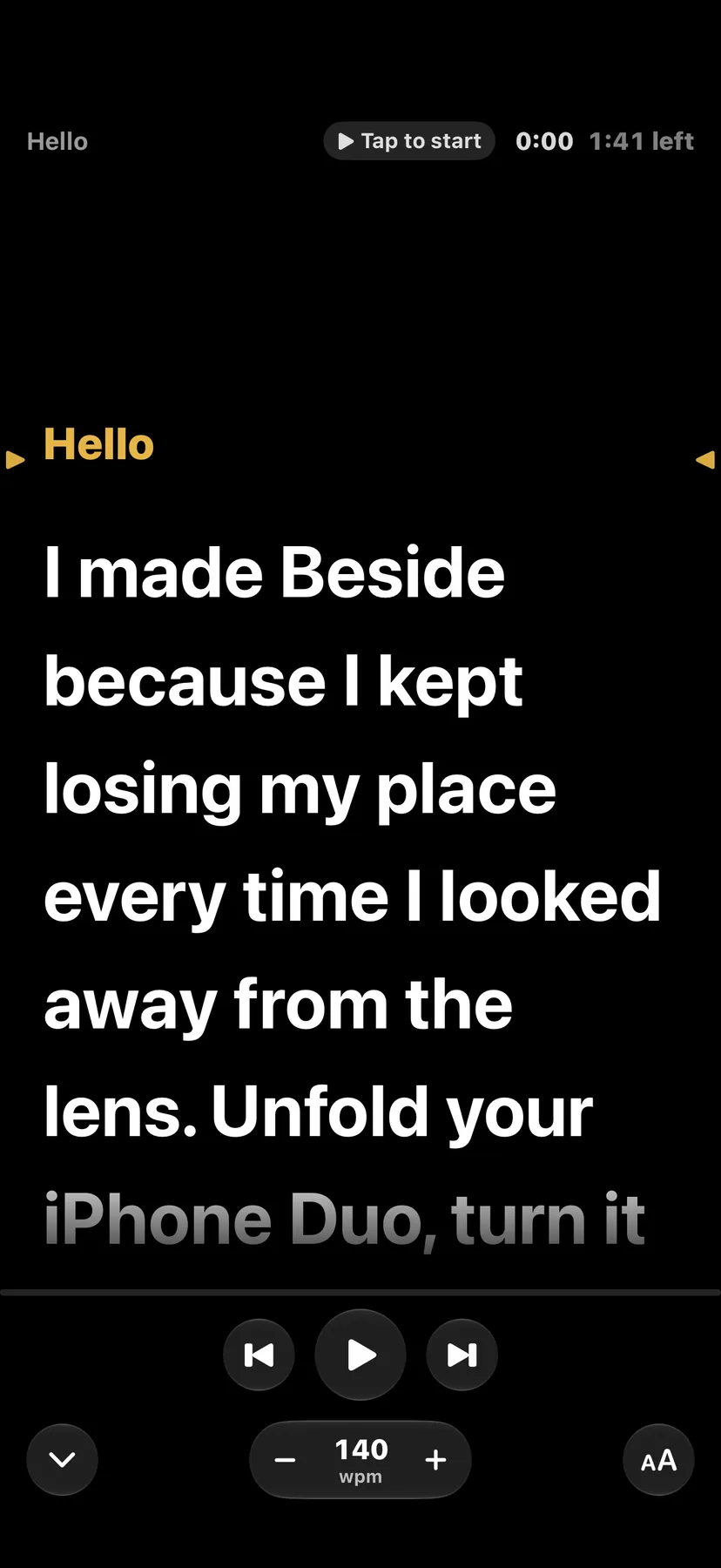
On any other iPhone, and on a Duo folded shut, the script fills the screen with the reading line just under the front camera. A FaceTime-style camera preview sits in a corner: drag it to whichever corner suits you. Record with the front camera, or flip to the rear.
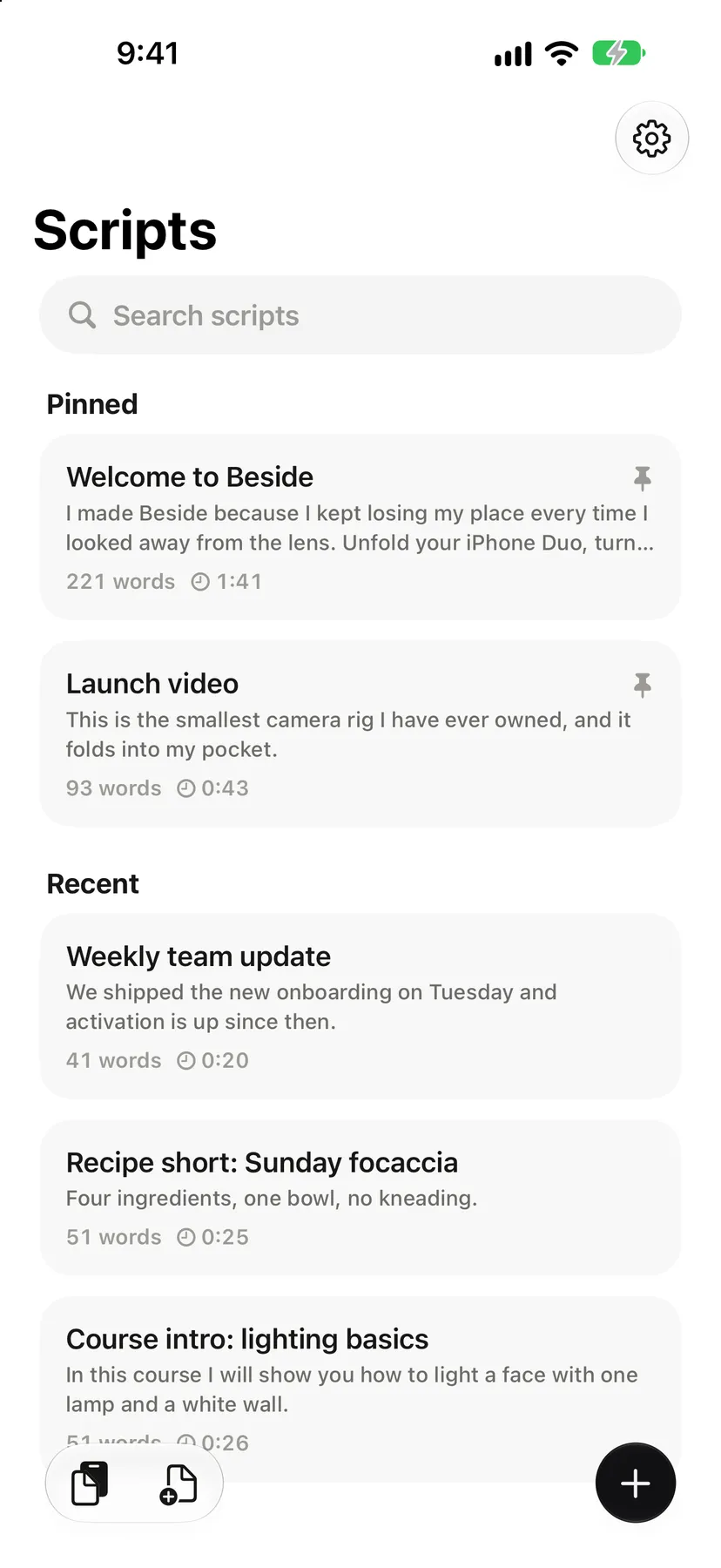
Scripts live in a plain library on the phone. Pin the ones you're working on, search the rest, and see the word count and read time on each one.
A remote on your wrist
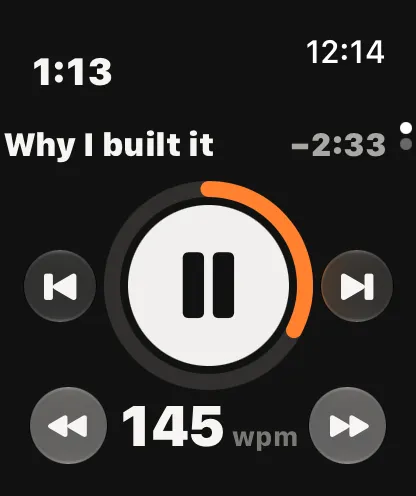
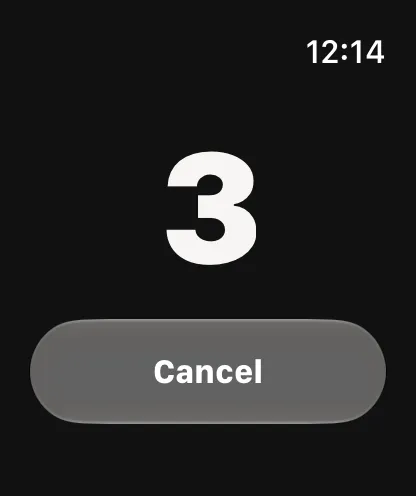
When the phone is across the room on a tripod, Apple Watch runs the take.
- Digital Crown
- Turn it to change the speed, in words per minute.
- Sections
- Skip to the previous or next section of the script.
- Record
- Start and stop the camera from your wrist.
- Countdown
- A few seconds to settle before it rolls, with Cancel if you're not ready.
Write it the way you'll say it
Scripts are plain text with a little markup, so they paste in from anywhere. Speed is set in words per minute, which turns any script into a read time before you start.
Turn on voice follow and the script moves as you speak, then waits when you stop. The listening happens on the iPhone itself.
# Intro- Starts a section
==words==- Highlights them
**words**- Gives them extra weight
[pause 3]- Holds the scroll for three seconds
// note- A note for the camera side, kept off the prompter
Writing a script
Put two equals signs on each side of a few words to mark them like a highlighter. Use two stars when a word needs extra weight.
Every take comes with chapters
Each recording is kept with its script. When the prompter crosses a section while you record, the take gets a chapter mark. Copy chapters and paste them straight into a YouTube description.
Save takes to Photos, share them, or keep them in the app next to the words you said.
- 00:00Hello
- 00:27Writing a script
- 01:08Your turn
And everything around it
Keyboards and pedals
A Bluetooth keyboard or page-turner pedal runs the prompter. Space plays, the arrows nudge and jump sections, R records.
Siri and Shortcuts
Start the prompter or open a script by voice, from a shortcut, or with the Action Button.
External display
Send the prompter to a second screen, mirrored for a beam-splitter rig.
Themes and fonts
Classic, Studio, Paper, Night red and High contrast, eight fonts, and colours of your own.
Twelve languages
The app, and its welcome script, in the language your iPhone speaks.
Files in, text out
Paste a script or import a file. Export any script as plain text.
One payment, yours forever
The free version is a complete teleprompter. Pro unlocks the rest with a single purchase, and there's no subscription. A new iPhone gets it back with Restore purchases.
Free
- Up to 3 scripts
- The full prompter
- The iPhone Duo outer screen
- 1080p recording
- Classic and Paper themes
Pro One payment
Everything in Free, and:
- Unlimited scripts
- Apple Watch remote
- Voice follow
- 4K and 60 fps
- Every theme, plus your own colours and fonts
- Chapter export
- File import
- External display
Questions
Do I need an iPhone Duo?
No. Beside works on any iPhone with iOS 27. The script fills the screen with the reading line just under the front camera, and a small camera preview sits in a corner. iPhone Duo adds the outer screen beside the rear cameras.
Is it a subscription?
No. The free version is a complete teleprompter. Pro is one payment and stays yours. On a new iPhone, Restore purchases brings it back with the same Apple Account.
Does anything leave my phone?
Your scripts, takes and settings stay on your iPhone. There's no account, no analytics and no ads. Voice follow listens on the device itself. To check that Pro is unlocked, the app sends an anonymous ID and your App Store receipt to RevenueCat, and nothing else. The privacy policy has the details.
Does the Apple Watch remote need Pro?
Yes. The Watch remote is part of Pro, along with voice follow, 4K and 60 fps, every theme, chapter export, file import and the external display.
Which languages does it speak?
Twelve: English, German, Spanish, French, Italian, Polish, Brazilian Portuguese, Russian, Turkish, Japanese, Korean and Simplified Chinese.
Keep your eyes on the lens.
Coming soon to the App StoreQuestions or ideas? Write to me at hello@akilastudio.com.